UI Development
Implementation of clear, responsive, browser-friendly user interfaces for websites and web applications.
Suspendisse interdum consectetur libero id. Fermentum leo vel orci porta non. Euismod viverra nibh cras pulvinar suspen.
Front-End & UI Development
A good user interface is not just about making something look attractive. It is about helping users understand what they can do, where to go next, and how to complete a task without confusion.
I design and develop practical front-end interfaces, browser-based prototypes, JavaScript applications, and visualization tools that balance usability, clarity, responsiveness, and technical reliability.
Why UI Matters
The interface is often where users decide whether your application feels easy or frustrating. A clear UI can reduce support questions, prevent mistakes, improve completion rates, and make a system feel more professional and trustworthy.
Good UI design considers layout, hierarchy, button placement, feedback messages, error states, loading states, form structure, visual emphasis, accessibility, and how users naturally move through a task.
When these details are handled well, users should not need repeated clarification from you. The application itself should guide them.
My Approach
When designing a new interface, I start by carefully studying the client’s requirements, wish list, users, tasks, and business goals. From there, I create a functional design that is intuitive to use and follows web standards.
The important details are not accidental: where buttons appear, how text is organized, what happens after an action, which messages users see, and how the interface responds when something goes wrong.
I can design a UI, mock it up directly in the browser, and let you test how it feels before the full system is built. We can then iterate until the experience feels smooth, clear, and practical.
Services
Implementation of clear, responsive, browser-friendly user interfaces for websites and web applications.
Interactive HTML/CSS/JavaScript prototypes that let clients test the flow and feel of an interface early.
Custom front-end application logic, dynamic interfaces, dashboards, forms, and user-facing workflows.
Browser-based 3D visualization interfaces using Three.js for products, tools, viewers, or technical concepts.
2D visualization, editing tools, drawing interfaces, and interactive browser-based canvas applications.
Selected Front-End Work
Front-end development is strongest when the interface supports an actual task: learning, managing data, visualizing a product, editing content, or helping a user complete a workflow.
These projects combine UI implementation with JavaScript-powered front-end behaviour, responsive layouts, and interactive browser-based functionality.
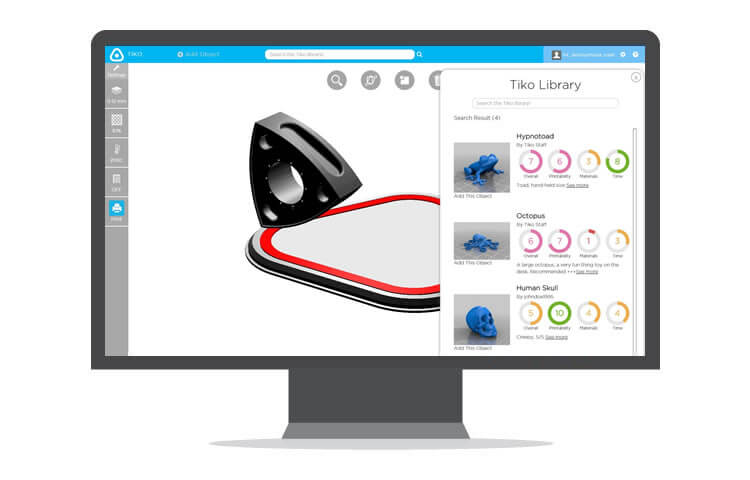
Front-end UI development for a browser-based 3D printer viewer and interactive product interface.
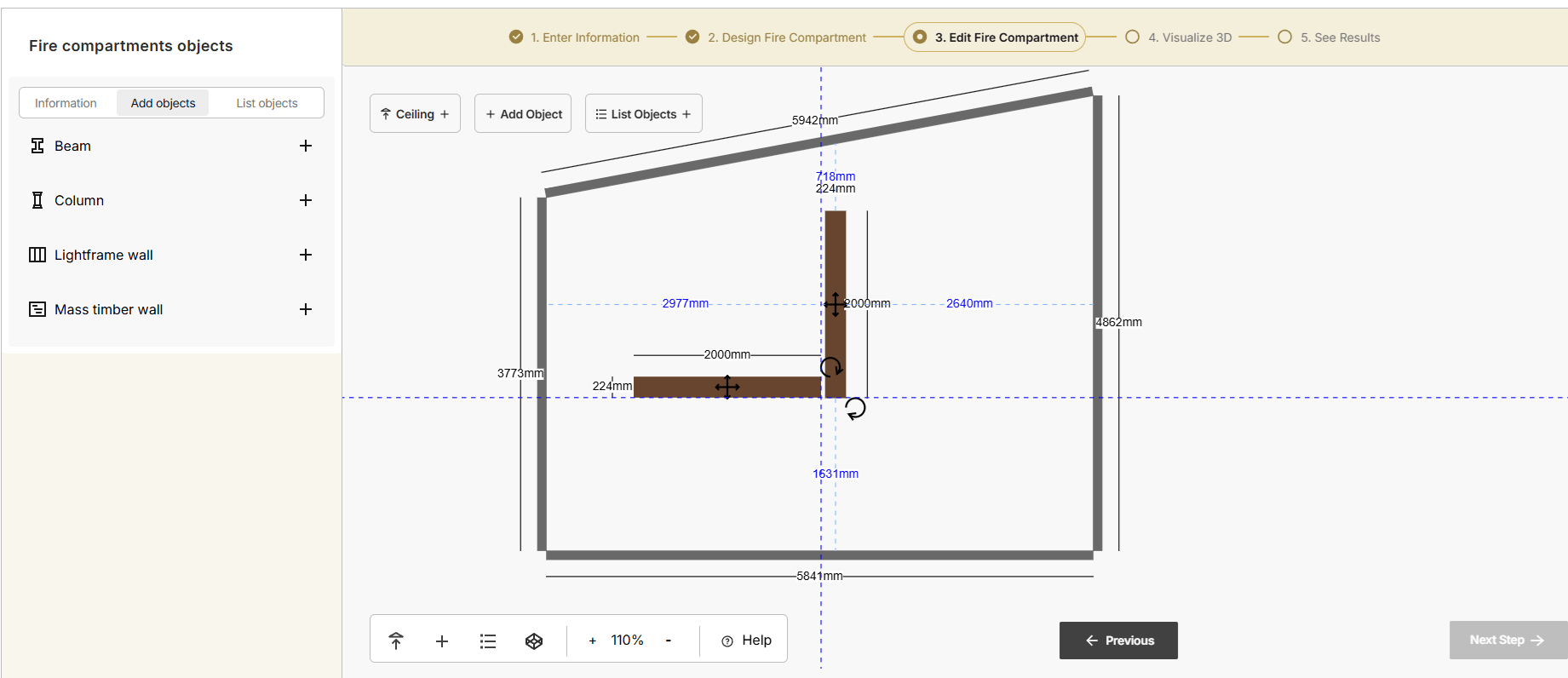
2D and 3D visualization app for building science calculator for engineers and architects.
Book a Call
Tell me a little about your project, business, or technical challenge.
I work with Ontario businesses, organizations, and agencies on:
You'll communicate directly with the developer building the project.